NetWorldTop | Product Reviews, Tech Guides & Online Tools
📷 Introduction: IP Addresses and Your Privacy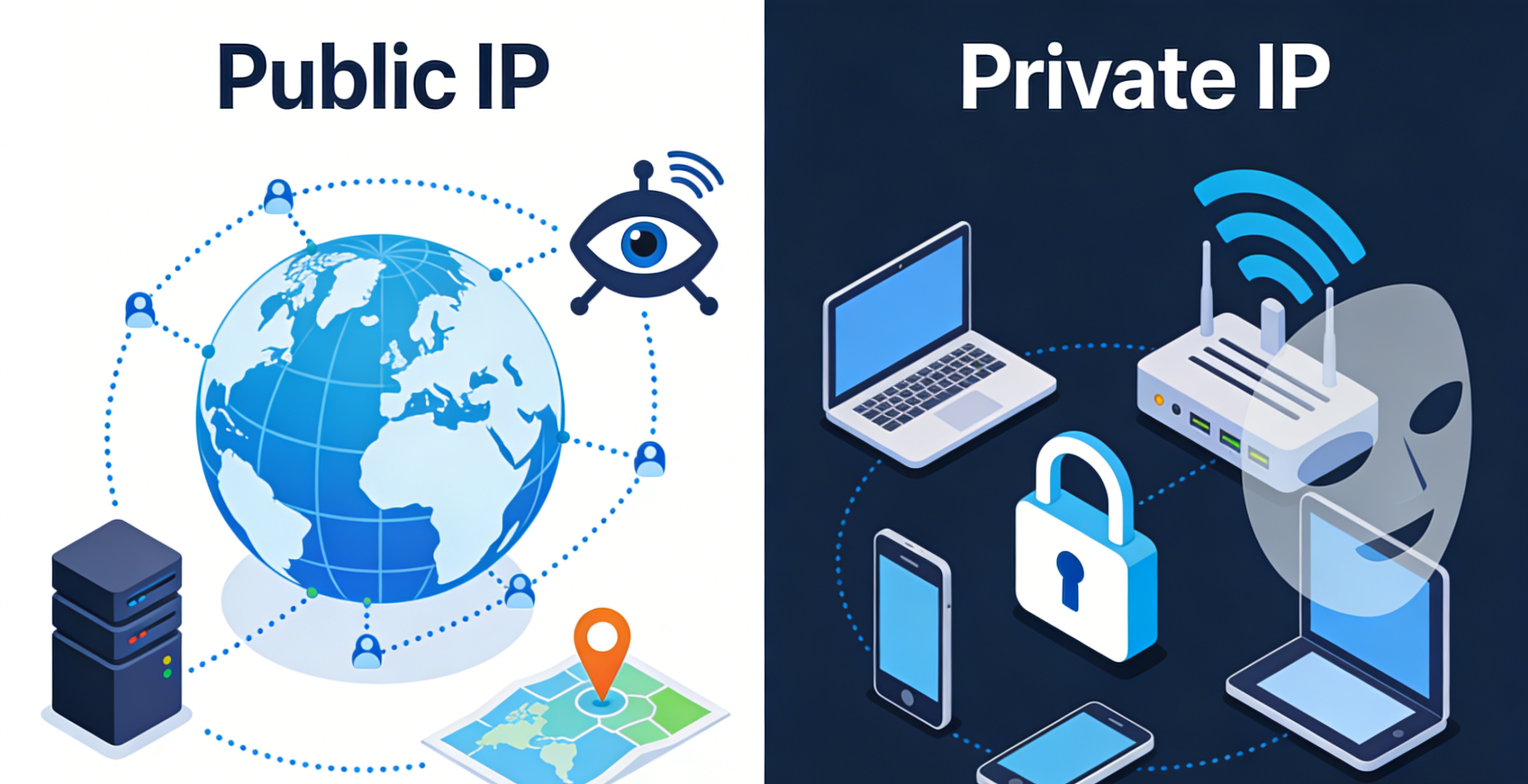
IP addresses are like digital addresses for your device on a network — knowing the difference helps protect your privacy.
When you connect to the internet, your device is assigned an IP address — a unique identifier that lets other devices send and receive information. Understanding the difference between public and private IP addresses is essential for securing your data, maintaining privacy, and enhancing your online browsing experience.
🔎 What Is an IP Address?
An IP (Internet Protocol) address is a numerical label assigned to each device connected to a network. It allows devices to communicate with each other across the internet and other networks.
There are two major types of IP addresses:
-
Public IP Address
-
Private IP Address
Each plays a different role in networking and has implications for privacy and security.
🚪 Public IP Address: Your Gateway to the Internet
A public IP address is visible on the internet and is assigned by your Internet Service Provider.
Your public IP address is the one visible to the outside world when you browse websites, stream content, or communicate online. It’s provided by your internet service provider (ISP) and can be used to identify your general location and network.
Key Points:
-
Assigned by your ISP
-
Used to communicate with servers and websites
-
Visible to websites, services, and network administrators
Because this IP is exposed externally, it can reveal information about your network, which can be used to track browsing behavior or approximate your location.
🏠 Private IP Address: Inside Your Local Network
A private IP address is used within a home or office network and cannot be directly seen on the open internet.
A private IP address is used within your local network — such as at home or in an office. Your router assigns private IP addresses to devices like laptops, phones, and printers. These addresses are not visible on the internet and are used only for internal communication.
Key Points:
-
Used within local networks only
-
Hidden from external internet
-
Commonly follows specified ranges (e.g., 192.168.x.x)
This isolation helps maintain internal network structure without exposing each device directly to the internet.
🛑 Why It Matters for Anonymous Browsing
Anonymous browsing means hiding identifying information, like your public IP, to protect your privacy.
When you browse the web without protection, your public IP address is visible to websites and third parties. This allows them to:
-
Log your visits
-
Track behavior across sessions
-
Approximate your location
-
Build browsing profiles
If your goal is anonymous browsing, keeping your public IP hidden becomes crucial. Simply using a private IP within your own network isn’t enough, because your public IP still transmits to internet servers.
🛡️ Tools That Help Protect Your IP
To enhance privacy, many users rely on tools that hide or mask the public IP address during online activity:
🔐 Virtual Private Networks (VPNs)
A VPN masks your real public IP address with another one from the VPN provider. This makes it difficult for services and websites to track your exact location or network identity.
Benefits:
-
Conceals your real public IP
-
Encrypts your traffic for added privacy
-
Allows safe connection on public Wi‑Fi
🕸️ Proxy Services
Proxy services act as intermediaries between your device and the internet, replacing your actual IP with another. While useful in some cases, they may not offer the encryption protection of a VPN.
🛡️ Privacy Browsers
Some browsers offer built‑in features that limit tracking and reduce your digital footprint, although they typically don’t change your public IP.
🧠 How Public and Private IP Work Together
Think of your network like a house:
-
The public IP is like the street address — it shows where the house is located.
-
The private IP is like the room numbers inside — you can have many devices, all identified privately but residing behind the same public address.
When you send a request to visit a website:
-
Your device uses its private IP within the internal network.
-
Your router sends that request using the public IP.
-
The website sends back the response to the public IP, and your router forwards it to the correct private IP device.
🛠️ Local Network Example
Devices like phones, laptops, and smart devices share a private network and connect to the internet through one public IP.
Picture this common setup:
-
Laptop → 192.168.1.2 (private IP)
-
Phone → 192.168.1.3 (private IP)
-
Tablet → 192.168.1.4 (private IP)
-
Router → Public IP address seen by the internet
All devices share the same public IP, but each has a unique private IP.
📌 Tips to Enhance Your Online Privacy
If anonymous browsing is your priority, consider the following:
-
Use privacy‑focused tools like VPNs or secure browsers.
-
Regularly clear cookies and cache to prevent tracking.
-
Avoid public Wi‑Fi without protection.
-
Manage privacy settings in apps and services.
These steps help reduce the amount of information visible to outside observers.
🏁 Conclusion: Understanding IPs for Better Online Privacy
Knowing the difference between public and private IP addresses is key to understanding how data travels online and how your device is identified. While private IPs keep things organized within your local network, your public IP is exposed to the world and can reveal information about your browsing activity.
For anyone seeking anonymous browsing, hiding or masking your public IP — using tools like VPNs — is essential. With the right setup, you can protect your personal information, keep your identity secure, and enjoy a more private online experience.