NetWorldTop | Product Reviews, Tech Guides & Online Tools
In a world where children are exposed to screens earlier than ever, choosing the right parental control app is no longer optional—it’s essential.
This in-depth Qustodio review explains what Qustodio does well, where it falls short, and who it is designed for, helping parents decide whether it is the right solution for their family in 2026.
Who We Are
This website publishes independent reviews and educational content about parental control software and digital safety tools.
We do not develop, own, or operate Qustodio or any other products reviewed on this site. Our role is to provide neutral information that helps parents make informed decisions.
What Is Qustodio and Who Is It For?
Qustodio is a cross-platform parental control and digital wellbeing software designed to help parents monitor, manage, and guide children’s online behavior across multiple devices.
Unlike basic screen-time apps, Qustodio focuses on behavior visibility combined with proactive controls, making it popular among parents with children aged 6–16.
Qustodio is best suited for:
- Parents managing multiple devices (phones, tablets, laptops)
- Families concerned about online safety, not just screen time
- Parents who want clear reports without technical complexity
Parents who want to review official plan structures and feature availability can do so here: 👉 Official Qustodio Plans & Features
Core Features Explained (Without Marketing Claims)
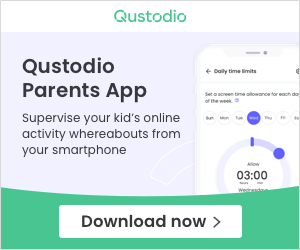
Screen Time Management
Qustodio allows parents to:
- Set daily screen limits
- Create time-based schedules for weekdays and weekends
- Pause internet access instantly
Practical insight: These controls are most effective for younger children. Teenagers may resist restrictions, but Qustodio’s enforcement is generally harder to bypass than many free tools.
Web Filtering and Content Blocking
Qustodio uses category-based filtering that covers:
- Adult content
- Gambling
- Violence
- Social networks
- Gaming platforms
Parents can allow, block, or monitor each category individually.
Human judgment note: No filter is perfect, but Qustodio balances automation with manual control without overwhelming parents with complex settings.
App Monitoring and App Blocking
Parents can:
- View which apps are used and for how long
- Block specific apps
- Set usage limits per app
This is commonly used to manage apps such as social media platforms, video apps, and mobile games.
For families comparing subscription tiers across multiple devices, plan differences are usually most noticeable here: 👉 Compare Available Qustodio Plans
Location Tracking and Geofencing
Qustodio includes:
- Real-time location tracking
- Location history
- Safe zones with alert notifications
Important limitation: This feature is designed for general awareness, not as a replacement for dedicated GPS tracking hardware. Accuracy depends on device settings and operating systems.
Activity Reports
Qustodio provides daily and weekly reports showing:
- Screen time trends
- Most-used apps
- Blocked access attempts
- Browsing summaries
These reports are structured to be readable and actionable, rather than purely technical.
Supported Devices and Platforms
Qustodio supports:
- Windows
- macOS
- Android
- iOS
- Chromebooks
Platform note: Android and Windows provide deeper control options. iOS functionality is subject to system-level restrictions imposed by the operating system.
Qustodio Pricing Overview
Qustodio uses a subscription-based pricing model, typically structured by:
- Number of devices covered
- Feature access level
A limited free version exists, but it is primarily suitable for testing purposes.
Parents who decide they need advanced controls typically review current subscription availability here: 👉 View Current Qustodio Subscription Options
Pros and Cons
Advantages
- Parent-friendly dashboard
- Strong cross-platform compatibility
- Reliable enforcement mechanisms
- Clear activity reports
- Suitable for families with multiple children
Limitations
- Full functionality requires a paid subscription
- iOS has more limitations than Android
- Older children may resist monitoring
How Qustodio Compares at a High Level
Qustodio generally sits between basic free tools and more aggressive monitoring software. It is designed for responsible parental guidance, not covert surveillance.
Safety, Legality, and Ethics
When used appropriately, Qustodio is considered safe and legal.
Based on publicly available information, Qustodio:
- Complies with data protection regulations such as GDPR
- Provides transparency around data usage
- Is intended for parental consent use cases
Best practice is to communicate openly with children about why monitoring tools are used.
Who Should Use Qustodio
Qustodio may be suitable if:
- Your child is under 16
- You manage multiple devices
- You want structured digital supervision
It may not be ideal if:
- You only need basic screen timers
- You want invisible monitoring of older teenagers
- You prefer non-subscription tools
Final Verdict
Qustodio offers a balanced approach to parental control by combining visibility, structure, and cross-device consistency.
Parents ready to move beyond basic screen limits typically review official plan details before making a decision: 👉 Check Qustodio Official Options
Purchasing and Fulfillment Responsibility
This website does not sell software, process payments, or provide customer support.
All purchases, subscriptions, billing, refunds, and account services are handled directly by the official software provider.
Contact Information
For business verification, advertising inquiries, or compliance questions:
Email: support [at] networldtop [dot] com Website: networldtop.com